
· 16 min read
How to Choose the Right CRM for Small Sales Teams
By Roadmap Sales

Selecting the best sales management support system can be a game changer for small Brazilian sales teams. Our experience of over 15 years in implementing and monitoring CRMs in hundreds of operations shows that making the right choice means fewer mistakes, increased results pace, and a smoother sales process. However, the current scenario indicates that many small businesses still rely solely on spreadsheets or WhatsApp, lacking adequate support for customer relationship management.
The adoption of specific technologies to organize contacts, record tasks, and track the sales funnel has shifted from being a trend to a necessity for businesses that want to grow consistently.
According to a Sebrae survey, over 80% of small businesses use WhatsApp in their sales journey, but only 6% use CRM systems in their commercial routines, highlighting a gap in structured management (Sebrae source). On the other hand, recent data from Cetic.br reveals a steady growth: the use of CRMs in small businesses is expected to reach 29% by 2025.
A good CRM is the first step to professionalizing the sales team and saving everyone's time.
In this article, we share our impartial and practical analysis method from Roadmap Sales to help small teams choose the most suitable commercial system for their reality, considering size, budget, team maturity, integrations, and digital investment of the operation.
Why Do Small Teams Need a CRM?
A few years ago, discussing CRM for companies with fewer than 20 employees seemed excessive. But time has shown that the smaller the team, the greater the need for centralized control and organization. This reduces internal noise, prevents lost opportunities, and speeds up commercial decision-making.
- Avoid rework when searching for already recorded information
- Unify contacts and customer histories in one place
- Control funnel stages and bottlenecks without relying on scattered spreadsheets
- Automate basic follow-ups and reminders
- Generate quick reports to measure weekly and monthly results
Small teams achieve better results when they share clear processes and centralized information from the start.
In a study published in the Journal of Social and Environmental Management, authors highlight that data centralization, contact automation, and personalized service bring rapid positive impacts in microenterprises, although challenges such as budget limitations and team resistance exist.
Features of a CRM Designed for Lean Teams
The definition of a CRM for small sales teams goes beyond the common list of functionalities found in large corporate systems. The secret lies in simplicity, ease of adoption, and focus on what will truly be used in the daily operation.
What Changes Between Solutions for Small Businesses vs. Enterprise Systems?
- Fewer steps:
Solutions for SMEs prioritize short registrations, editable fields, and minimal mandatory requirements, avoiding the “digital bureaucracy” so common in large operations.
- Targeted automation:
Focus on solving simple tasks: contact reminders, automatic follow-ups, status updates. No complex routines that require dedicated teams just to configure.
- Customization without a developer:
Editable modules and fields that can be created without needing to call a programmer.
- Affordable pricing:
Licenses that make sense for small businesses or free plans that already deliver the essentials.
- Close and agile support:
Service that doesn’t take days to respond to simple team inquiries.
- Simplified reports:
Easy visualization of total sales, open opportunities, and funnel performance.

Commercial systems aimed at smaller teams help start small but without losing the ability to grow as the business advances.
Essential Features for Small Sales Teams
It doesn’t matter if we’re talking about three or fifteen people in the operation; to be functional, a system for small-scale commercial management needs to at least:
- Record contacts, companies, and deals practically
- Organize the sales funnel according to the actual stages of the process
- Generate automatic alerts for tasks, calls, and appointments
- Allow quick consultations of interaction history
- Provide simple reports (won deals, lost deals, time in the funnel)
- Offer basic integration with email, WhatsApp, spreadsheets, and possibly marketing automation
- Allow adjustments and new fields to be made without professional technical intervention
Based on our experience at Roadmap Sales, we suggest that the selection process prioritize platforms that deliver these essential resources clearly, without convoluted solutions.
Sales Automation: How Much is the Right Measure for Smaller Teams?
In the realm of large players, extensive automations promise to solve almost everything automatically. For small teams, however, less can mean more.
Automation should eliminate repetitive tasks but never distance the salesperson from human contact, which is so necessary in building relationships in consultative sales.
In our practical diagnosis with small Brazilian operations, we identified that the most valuable automations are:
- Reminders to follow up with leads or potential clients
- Automatic sending of proposals and standard emails
- Automatic card movement in the funnel based on a concrete action (e.g., proposal conversion)
- Notifications at critical stages of the sales cycle
The focus should be on automating what is tedious, not the human touch that ultimately closes deals.
This balance can be enhanced with simple integrations, especially with email systems, calendars, and WhatsApp Business, expanding records without bureaucratizing the salesperson's routines, a point frequently mentioned by Roadmap Sales users.
What Are the Differentiators of CRMs for Small Brazilian Businesses?
Cultural adaptability, cost aligned with reality, and availability of support in Portuguese stand out among the points that truly make a difference for smaller sales teams.
Another aspect gaining traction is native integration with applications and platforms already used by the team, such as spreadsheets, Google Calendar, and popular digital marketing tools.
According to the TIC Companies 2025 survey, small businesses value systems that are easy to implement and do not require extensive technical training.

Integration with WhatsApp, Email, and Spreadsheets: The Practical Trio
Among the most requested features in our diagnostics, the ability to link CRM with WhatsApp, emails, and analysis spreadsheets stands out. This reduces the need to switch between platforms and facilitates the team's routine, avoiding information loss and double entry.
- WhatsApp: Automatic recording of conversations, control over follow-ups, and interaction history
- Email: Synchronization of messages exchanged with clients in the contact profile
- Spreadsheets: Customizable import and export for more detailed analyses
Solutions that do not allow these information crossovers typically have slower adoption and lower engagement from the sales team.
Inside the Selection Process: Practical Criteria That Work
We often receive questions from managers about how to compare different options and make a well-founded decision, avoiding both fads and choices based on gut feeling. Based on the hundreds of diagnostics we have conducted, we developed a practical roadmap:
- Map the maturity of the sales team:
Level of experience of salespeople with digital tools, mapping of existing processes, and openness to change. This is the first filter that prevents waste on sophisticated (or too simple) solutions that are inadequate for the team's stage.
- Define budget and investment limits:
A central characteristic in small businesses is sensitivity to the price of licenses and implementation costs. Always seek to understand if the plan meets the expected number of users for the next year, avoiding surprises in growth.
- Identify priority integrations:
Which channels are currently used for relationships (email, WhatsApp, social media), in addition to ERPs, marketing automation, or other applications already running in the company?
- Prioritize usability and local support:
Small teams rely heavily on the engagement of salespeople in the daily use of the system. A simple layout and good service reduce adoption barriers and make all the difference.
- Evaluate scalability without complication:
The system should grow at the team's pace, without burdening or limiting functions as new members join.
Following a clear comparison routine prevents the choice from being guided by excitement or recommendations that do not align with the business reality.
We recommend that those on this journey consult our detailed guide on how to choose a CRM, which clarifies specific doubts for small businesses and points out practical paths to evaluate alternatives.
How Does Roadmap Sales' Impartial Diagnosis Work?
Here at Roadmap Sales, we believe that the best selection comes from a personalized analysis of each operation, not from a "generic" ranking of commercial systems. Therefore, we offer a free, objective diagnosis without mandatory registration, which points out the three platforms most aligned with your team's profile.
The secret lies in comparing over 50 tools based on practical experience, not just technical specifications.
The process is simple: by answering a 5-minute questionnaire, the company receives a roadmap with platform suggestions, recommendations on implementation steps, a suggested funnel flow, and tips for priority integrations. This proposal does not depend on sponsorship from solution providers; everything is impartial, transparent, and focused on helping small and medium businesses achieve real results.
More than 85% of our diagnostics indicate that the right choice reduces rework by up to 40%, in addition to increasing the opportunity registration rate and simplifying post-sale relationships.

Comparing Different Systems: What to Evaluate?
Not always is the most famous system the most suitable for small teams; as we have seen, the preference should be for alignment with the business's commercial model, ease of use, and supplier support.
Based on the cases we have served at Roadmap Sales and the monitoring of the most used tools in Brazil, these are points that should be evaluated and compared:
- Monthly cost per user and extra fees for integration or reports
- Practicality of migrating existing contact data and histories
- Native integration with WhatsApp, email, spreadsheets, or everyday applications
- Intuitive layout and ease of learning (maximum 2 hours of training for basic use)
- Ability to create custom fields without bureaucracy
- Ease of generating visual reports and exporting data
- Quality of support: availability, language, speed
- Existence of free plans or scalable prices based on team size
- Data storage and security policy
On our blog, we published a detailed checklist on key points before switching CRMs, which can serve as a comparative script for small teams.
Practical Example: Integration vs. Customization
A common question involves the dilemma of choosing a solution that comes with many ready-made integrations or investing in a more customizable system. Our experience shows that, in most cases, teams of up to 20 people benefit more from a quick and easy adoption, even if the customization is lower at the beginning.
The secret is to prioritize alignment with the commercial model and simplicity in adoption; more elaborate adjustments and integrations should be made as the team matures.
When we talk about popular integrations relevant to the Brazilian scenario, we highlight the value of tools that facilitate communication via WhatsApp, as detailed in the analyses of options like Pipedrive, Hubspot, and RD Station, each with its own formats to address the routine of small businesses.
Information Centralization: Why It Makes a Difference?
One of the significant management leaps we identify when implementing a CRM in small teams is the practical effect of centralization: the customer and business history is always accessible, reducing rework and doubts within the team.
- All interactions, visits, proposals, and negotiations organized by contact
- Quick visualization of the funnel to prioritize daily activities
- Elimination of conflicting information and versions of spreadsheets
- Documents and contracts attached to the business, easily locatable
Centralizing information is the foundation for reducing errors and scaling the team.
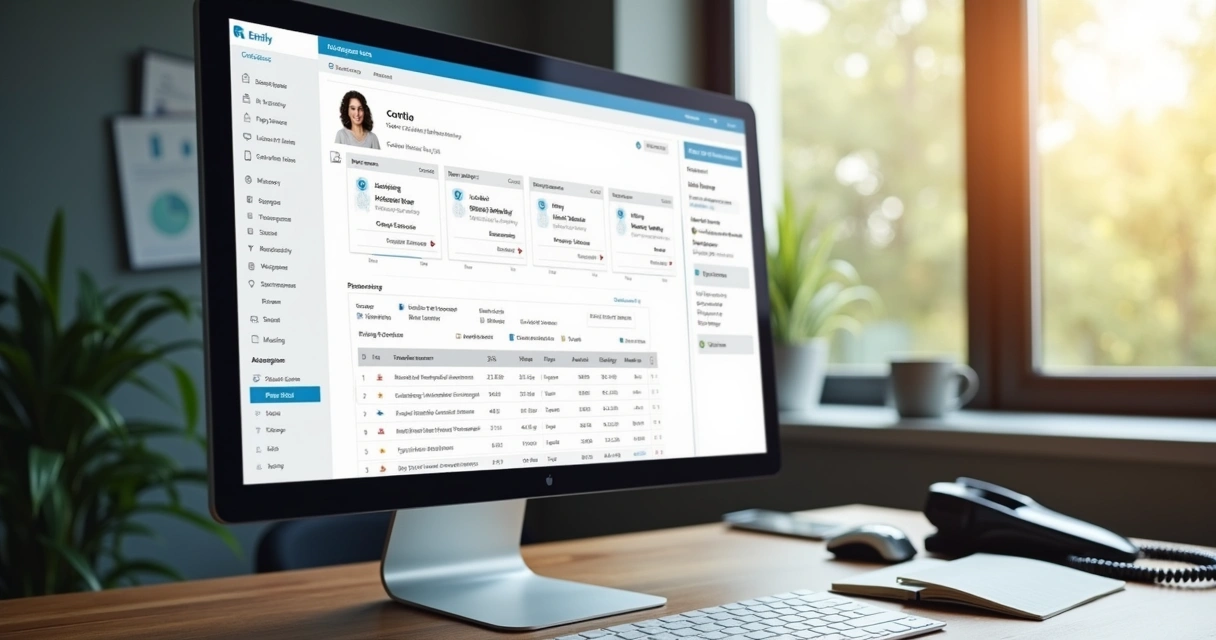
In small commercial structures, every minute wasted repeating tasks or searching for data translates into less time to sell and build relationships. Therefore, the recommendation is to invest in systems that have smooth navigation, allowing the team to consult, record, and update information independently.
Simplified Reports: Less is More
Another common mistake is opting for solutions that provide dozens of ready-made reports, but few are actually used in practice. For small teams, basic reports already solve most weekly and monthly analyses.
- Total open deals, won and lost during the period
- Average time in the sales funnel by stage
- Bottlenecks: where deals get stuck and why
- Reasons for loss and a bibliography of the most common objections
- Activity history and comparison between team members
Initially, we prefer visual and simple reports that make usage and presentation in meetings much quicker.
Common Barriers and How to Overcome Them
Despite the benefits, identifying and correcting barriers to adoption is key to not turning the CRM into an underutilized or abandoned system. The study from the Journal of Social and Environmental Management points out typical obstacles in small businesses:
- Team resistance due to fear of “excessive monitoring”
- Communication failures regarding the real benefits for daily operations
- Training gaps preventing full use of functionalities
- Difficulty importing legacy histories or reconciling different spreadsheets
Our approach is to align expectations from the start, communicate individual time and performance gains, maintain objective training, and monitor the first 30 days after implementation.
Step-by-Step to Increase Team Engagement
Based on multiple projects we have monitored, we defined a brief routine for teams that want to increase daily CRM usage without friction:
- Include commercial leadership as an influencer in adoption
- Map real team pain points and show how the system resolves them
- Customize fields and funnel with language close to the salesperson
- Only require the use of the most relevant functions in the first 60 days
- Create an internal group or channel for quick usage tips
- Weekly evaluate adoption bottlenecks and adjust the process
- Publicly recognize those who adapt and share solutions
Small teams find it easier to adjust routines and promote a culture of continuous use, as long as they see practical and quick value in their results.
Grow Safely Without Losing Control
As the company grows, migrating from three to ten or twenty employees, the need to ensure that the commercial routine continues to flow also increases – even with new hires or increased business volume.
CRM systems aimed at small businesses typically allow adjustments to flows and access as the team grows, in addition to integrating permission resources so that each member only acts on the deals that truly concern them.
It is always worth reinforcing: it is simpler to adjust and evolve an already implemented system than to migrate the entire structure to a new context due to poorly planned choices.
Avoid Common Mistakes and Prioritize What Makes Sense
Based on reports from partners and clients of Roadmap Sales, we compiled examples of hasty decisions that can complicate the team's routine and generate rework:
- Choosing the system solely based on price without evaluating necessary integrations
- Investing in overly sophisticated solutions for the team's maturity
- Disregarding language and quality of customer support
- Trying to adapt manual processes directly to the system without adjustments
- Not preparing funnel data before migration
Our advice is always to conduct practical tests, customize fields and funnel stages before discarding a tool – and to request support from the provider whenever questions arise.
The Right Choice Supports Sustainable Growth
When managers choose a commercial system that respects the team's limitations, enhances organization, and does not create unnecessary bottlenecks, the gains exceed the number of sales.
The professionalization of commercial management starts simple and generates impact for the entire business.
It is clear that technology alone does not perform miracles, but a well-made choice provides:
- Less rework and duplication of tasks
- “Real-time” tracking of opportunities
- Greater utilization of each team member's potential
- The dream of growth without losing critical data or making basic mistakes
- A solid foundation for integrating marketing and post-sale campaigns
More than that, managerial monitoring becomes guided by real data rather than vague perceptions, generating confidence and guiding more efficient action plans.
Conclusion: Choose Wisely, Implement Quickly, and Grow Structurally
Throughout this article, we have shown in practice that selecting a CRM for small sales teams is a strategic decision that begins with understanding the team's routine, the available budget, the type of necessary integration, and ease of use for all involved.
With the support of impartial methods and personalized diagnostics like those offered by Roadmap Sales, managers can look beyond marketing promises, prioritizing what will truly make a difference in performance and team engagement.
We emphasize that the best choice is one that grows with the company, simplifies daily routines, and centralizes the information that drives the business without bureaucracy. Don’t let your team be overwhelmed by rework or disorganization due to a lack of an adequate tool; invest in a well-informed decision-making process.
If you want to take the next step, we suggest you practically explore our free diagnosis at Roadmap Sales to receive suggestions fully tailored to your operation's reality, identify truly suitable CRM options, and start your team's digital transformation in the coming weeks.
Frequently Asked Questions About CRM for Small Sales Teams
What is a CRM for small teams?
A CRM for small teams is a system designed to centralize, organize, and streamline the sales process and customer relationships in operations with few employees. It differs by having simple functionalities, ease of adaptation, and flexibility for daily use, focusing on quick registrations, light automation, and practical reports. This way, lean teams can track opportunities, avoid information loss, and grow in a structured manner.
How to choose the best CRM for sales?
To choose the best system for commercial management, consider the team's maturity, integration with already used tools, cost-benefit, usability, and local support. Evaluate the ease of implementation, test essential functionalities (such as task automation and funnel management), and ensure that the team feels comfortable with navigation. Use practical comparisons and, if possible, rely on impartial diagnostics to identify the best options for your business profile.
What essential features should a small CRM have?
The most relevant features in CRMs for small teams are: simplified contact registration, visual control of the sales funnel, automation of reminders and follow-ups, generation of basic reports, integration with WhatsApp, email, and spreadsheets, as well as allowing customization without technical support. Customer support in Portuguese is also a significant differentiator for this type of business.
How much does a CRM for a small sales team cost?
The investment in commercial systems for small teams varies widely, starting from free options with limited resources and advancing to paid plans ranging from R$ 30 to R$ 150 per user/month, depending on integrations and reports offered. The key is to compare not only the monthly price but also what each package truly delivers to the team, avoiding extra expenses or underutilized plans.
Is it worth investing in a CRM for small teams?
Yes, it is definitely worth it, especially because lean teams gain agility, reduce noise, and facilitate control of the entire funnel with little operational effort. Proper adoption results in more sales, less rework, and sustainable growth, as shown by research from the Journal of Social and Environmental Management and data from Cetic.br. The important thing is to invest in a solution that aligns with the business profile and delivers results in the first months of use.
Want this tailored to your stack?
Run the free assessment and get a personalized report with fit scores, tradeoffs, and rollout guidance.
Start free assessment