
· 9 min read
How to Migrate CRM Safely: A Practical Step-by-Step Guide
By Roadmap Sales

Switching commercial systems often seems straightforward at first. Export here, import there, and you're done. In practice, it’s almost never that simple. When we talk about migrating CRM, we deal with customer history, open negotiations, automation rules, custom fields, and routines that affect the entire operation. A small mistake can lead to delays, rework, and loss of team trust.
In our experience, a safe transition begins before the first CSV file. It starts with diagnosis. That’s why at Roadmap Sales, we emphasize the importance of examining context, funnel, integrations, and team maturity before suggesting any path. Without this, the company switches platforms but brings the same problems into the new system.
A good migration is a planned migration.
Start with the Current Scenario
Before moving data, we need to understand what exists today. It seems basic. Still, many companies skip this step out of haste. Later, they discover useless fields, duplicate records, non-standard funnel stages, and automations that no one remembers why they were created.
The first step is to document how the current CRM operates in practice, not how it should function on paper.
In this diagnosis, it’s worth mapping:
- Which teams use the system and for what purposes.
- Which fields are mandatory, optional, or ignored.
- Which data truly supports sales, management, and post-sales.
- Which integrations are active with email, telephony, ERP, forms, and automations.
- Which reports leadership frequently consults.
- Which funnel stages are in use and which have become outdated.
When we create this snapshot, it becomes easier to decide what should be carried over, what needs adjustment, and what should be left behind. If you want to delve deeper into this phase, it’s worth consulting this content on the checklist before switching CRM, which helps organize the points of attention before the change.
Map Processes Before Data
A common mistake is to think first about the file and only later about the operation. We find that the opposite works better. Data makes sense when it’s linked to a process. If the team records leads, qualification, proposals, and closures in different ways, the import may succeed, but the use of the new CRM will start off confusing.
Therefore, we suggest outlining at least these flows:
- Lead entry.
- Commercial qualification.
- Transition between funnel stages.
- Task creation and follow-ups.
- Proposal generation.
- Recording loss, gain, and reason.
If the process isn’t clear before migration, the new CRM merely digitizes the old disorganization.
At this point, we also align the new system with the funnel structure already validated by the business. It doesn’t always make sense to copy the old funnel exactly. Sometimes, the company has grown, changed its sales profile, or started working with new channels. Migration can be the right moment to correct this thoughtfully.
Define Which Data is Critical
Not everything needs to go to the new environment. This often significantly eases implementation. We like to categorize the data into four groups:
- Mandatory data for current operation, such as companies, contacts, open deals, and tasks.
- Managerial data, such as source, segment, reason for loss, and stage history.
- Legal or contractual data, when the CRM holds records that need to be maintained.
- Disposable data, such as old unused fields or records without ownership and context.
This classification reduces volume, review costs, and the chance of error. It also helps prioritize testing. In many cases, it’s not worth moving all raw history at once. It’s better to carry over what supports the operation and keep a complete backup of the legacy for reference.

Clean the Database Before Importing
Cleaning the database prevents old problems from being copied to the new tool. We have seen companies carry over thousands of records with invalid emails, duplicate names, incomplete phone numbers, and fields filled out inconsistently. Later, they blamed the new system for the chaos.
Before importing, we recommend:
- Standardizing field names and values.
- Eliminating duplicates by email, phone, CNPJ, or other identifiers.
- Correcting date, currency, and number formats.
- Removing records without ownership, origin, or commercial sense.
- Filling in minimum fields that will be required in the new structure.
The cleaner the database, the lower the risk of loss, conflict, and rework during go live.
At this point, a data validator is very helpful. It can be an internal routine, a spreadsheet with consistency rules, or a checking layer in the import process itself. The goal is simple: to prevent invalid values from moving forward. For teams with a higher volume, it’s worth automating this check with rules such as email format, phone size, field mandatory status, and duplicate alerts.
Choose the Migration Strategy
Not every CRM change should be made the same way. The best strategy depends on the quality of the database, compatibility between systems, and the number of integrations involved. Generally, we see three commonly used paths:
- CSV import, when the structure is simpler and the volume is manageable.
- API integration, when it’s necessary to preserve more context, history, or synchronization between systems.
- Hybrid migration, when part goes by file and part depends on technical integration.
CSV is usually faster and more accessible, but requires full attention to column mapping. API offers more control but requires technical support and better testing. The hybrid model works well when accounts, contacts, and companies come in batches, while activities, forms, or automations require separate handling.
If the company is still comparing options, this guide on how to choose a CRM can help filter adherence before the switch. In some cases, it also makes sense to evaluate specific tool pages, such as this profile and this other profile, to better understand features, integrations, and usage format.
Create a Layered Import Plan
We prefer to migrate in logical blocks. First accounts and contacts. Then deals. Next tasks, notes, products, histories, and automations, if it makes sense. This reduces relationship failures between records.
A simple plan can follow this order:
- Export and keep a complete backup of the old system.
- Map source and destination fields.
- Import main records.
- Import deals and owners.
- Validate relationships between records.
- Upload automations and integrations.
- Check reports and dashboards.
The complete backup before any changes is the safety net for the entire migration.
We also advise documenting every decision. Renamed fields, deleted stages, new rules—everything should be recorded. When a discrepancy arises later, this memory saves hours of discussion.
Test on a Small Volume Before Go Live
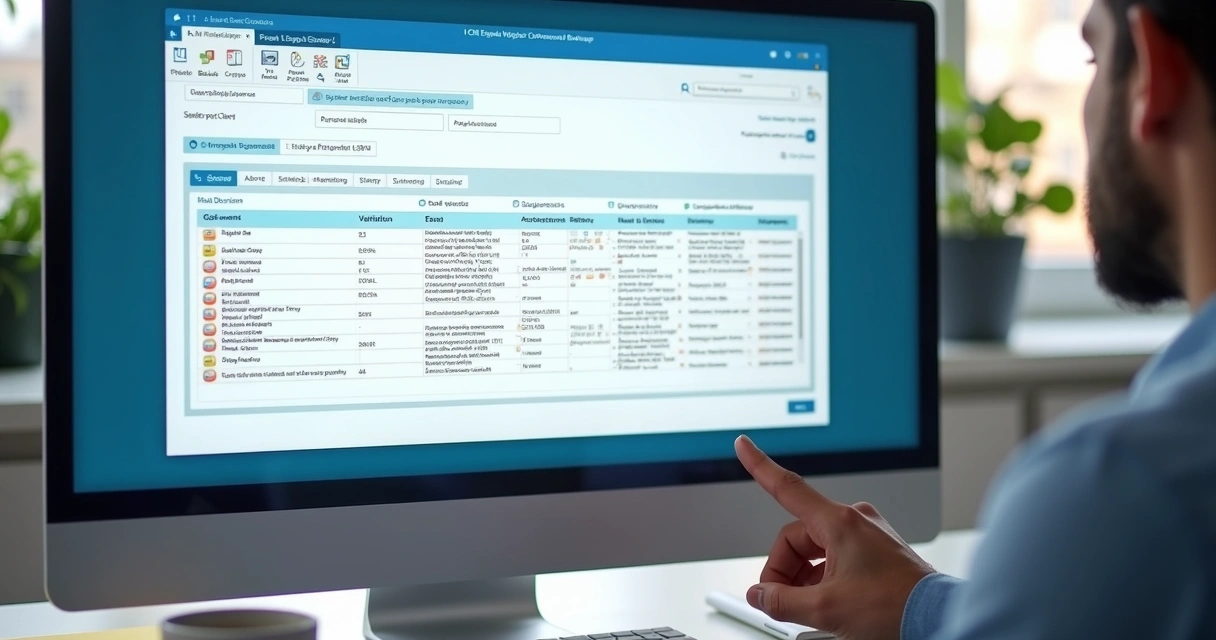
Here’s a point that many people ignore. And pay dearly for it. Instead of uploading the entire database at once, we test a sample. It can be a set with a few contacts, deals at different stages, companies with more than one decision-maker, and records with custom fields.
The test needs to answer objective questions:
- Did the fields arrive in the right place?
- Did the data maintain format and relationships?
- Did the automations trigger as expected?
- Do the reports show coherent numbers?
- Is there duplication when integrating with other tools?
This pilot also serves to adjust permissions, nomenclature, and usage mode. In a recent project, we saw an entire funnel being revised after the sample test. Better there, with twenty records, than on the day of the switch with twenty thousand.
Engage the Team Early
Switching CRMs isn’t just a technical project. It’s a change in routine. If the sales team doesn’t understand why the process changed, they revert to using spreadsheets, notebooks, or scattered messages. The new platform becomes a repository of incomplete data.
That’s why we like to involve managers and key users before go live. They help validate fields, review stages, and test daily tasks. They also build internal trust.
Without buy-in, there is no completed migration.
Best practices here include:
- Short, focused training by user profile.
- Simple manual with real operation examples.
- Quick channel for questions in the first week.
- Review of indicators after the first few days.
At Roadmap Sales, we see that companies with this care make fewer mistakes in selection and also implement with less friction. Not coincidentally, prior diagnosis makes a difference before any technical decision.
Common Mistakes We Would Avoid
Some mistakes frequently appear in platform transition projects. They seem small at first but grow quickly:
- Migrating everything without filtering what still has value.
- Keeping the old funnel without reviewing the current operation.
- Ignoring integrations that feed the CRM.
- Testing only the import, without testing real use.
- Not assigning an owner for each project stage.
- Going live during a sensitive sales period.
The most costly mistake is treating the CRM change as an IT task when it is an operational change.
If there’s doubt in selecting the system, comparative content can help in assessing criteria and adherence, such as this page on CRM comparison. However, the healthiest approach is to decide based on your context, budget, and the team’s maturity level.
Conclusion
Migrating CRM safely requires a method. First, we understand the current operation. Then we clean the database, define critical data, choose the import method, test on a small volume, and only then proceed to go live. Throughout this process, the team needs to participate because a system without proper use solves no problems.
When the company follows this step-by-step, the switch stops being a leap into the unknown and becomes a clearer decision. If you want to evaluate which path makes the most sense for your scenario, get to know Roadmap Sales and get a free diagnosis. This way, you receive practical guidance to choose the most suitable CRM and implement it with fewer errors and rework.
Frequently Asked Questions
How do I migrate my CRM data?
We recommend starting with a complete backup, diagnosing the database, and mapping fields between the old and new systems. Then, we clean duplicate records, correct formats, and import in stages, starting with contacts, companies, and deals. Ideally, test a sample before uploading the entire database.
What precautions should I take when switching CRMs?
The main precautions are to review processes, define which data really needs to be carried over, check integrations, validate mandatory fields, and involve the sales team early on. It’s also wise to avoid migration during peak sales dates and keep documentation of each adjustment made.
How long does a CRM migration take?
The timeframe varies based on data volume, database quality, number of integrations, and degree of customization. In simple scenarios, it can take a few days. In operations with complex funnels, automations, and large databases, it can take several weeks. What weighs most is not just the volume but the prior organization.
Is it safe to migrate CRM alone?
It can be safe in small operations with a clean database, few users, and a simple process. Even so, there’s a risk of mapping errors, loss of history, and duplication. When there are integrations, custom fields, or sensitive managerial reports, having specialized support usually reduces failures.
How do I choose the ideal new CRM?
We suggest evaluating the company size, sales model, funnel structure, necessary integrations, budget, and team maturity. The best CRM isn’t the most well-known; it’s the one that fits your process. If you want more objective guidance, Roadmap Sales can help with an impartial diagnosis and an implementation roadmap.
Want this tailored to your stack?
Run the free assessment and get a personalized report with fit scores, tradeoffs, and rollout guidance.
Start free assessment