
· 13 min read
Choosing and Implementing the Right CRM for Brazil
By Roadmap Sales

When a company decides to organize its sales operation, the first question is rarely about the brand. The real question is different. How can the team sell methodically, record everything without redundancy, and track the pipeline clearly? This is where the topic of this article comes in.
A good CRM adapted to the Brazilian market needs to combine sales routines, integration with local channels, and feasible implementation for the company's reality.
In our experience, many people start their search by looking at attractive interfaces, promises of automation, and lists of features. However, the right choice often comes from elsewhere. It comes from the fit between process, team, budget, and local context. A system may look great on paper and still fail in practice.
This happens because the Brazilian landscape has its own characteristics. Customer service often occurs through messaging apps. Payments in reais impact the budget. Support in Portuguese reduces noise. And the way teams work, in companies with 10 to 200 employees, requires less theory and more practical application.
Over the years, we have seen a pattern repeat itself. The company grows, contacts become scattered across spreadsheets, messages, and email inboxes, and the sales leader realizes they have lost visibility. No one knows exactly how many opportunities are active, what stage they are in, or why deals are stalled.
Without a process, the CRM becomes just a database.
At this point, choosing a national solution or one well-adapted to Brazil can make a lot of sense. Not only because of the language but also due to its alignment with how teams sell here. The adoption of relationship tools is still evolving. According to data from the 2023 TIC Empresas Survey, 28% of companies with 10 or more employees used a CRM application in the last 12 months. Among small businesses, the figure was 26%. This shows room for growth and, at the same time, a significant opportunity to better structure sales.
What Characterizes a CRM for the Brazilian Market
When we talk about a Brazilian CRM, we are not just referring to the country of origin of the tool. We are talking about real adaptation to the sales environment in Brazil. In many cases, this makes a difference right from the first week of use.
A CRM designed for Brazil tends to lower adoption barriers because it speaks the language of commercial and financial operations.
In practice, some signs usually indicate this alignment:
- Support in Portuguese, with service that is closer to local reality.
- Billing in reais, which helps control costs and avoids surprises with exchange rates.
- Integration with WhatsApp and other channels commonly used in negotiations.
- Fields, reports, and workflows that make sense for Brazilian sales teams.
- Implementation materials, training, and documentation accessible to the team.
This adaptation is not a detail. In smaller operations, for example, the sales manager often wears multiple hats. They sell, track metrics, communicate with marketing, and enforce discipline within the team. If the tool requires a high effort for configuration and understanding, the tendency is for adoption to decline.
It is also worth looking at the country's digital communication. A report from TIC Empresas 2023 shows that 75% of small businesses use messaging apps, while only 52% have a website. This says a lot about the commercial routine in Brazil. A significant portion of conversations happens in fast, informal, and decentralized channels. If the CRM does not integrate well with this, the team will revert to improvisation.
Key Functions to Focus On
Not every company needs the same set of features. Still, there are some functions that almost always deserve careful analysis.
The best system is not the one with the most features, but the one that helps the team execute the sales process consistently.
When evaluating a tool, we like to observe four groups of capabilities.
Sales Management
The foundation of everything is here. The CRM needs to allow clear registration of leads, companies, contacts, and opportunities. It should also show interaction history, responsible parties, and next steps. If the salesperson takes too long to log an activity, they tend to postpone it. And we know how that ends.
Look for a simple structure to:
- Register contacts and companies without excessive fields.
- Associate activities with each opportunity.
- Visualize responsible parties for each account or deal.
- Maintain a centralized history of messages, meetings, and proposals.
Task Automation
Good automation is not the one that impresses in a demo. It is the one that alleviates the routine. Creating reminders, distributing leads, moving stages with simple triggers, and notifying about overdue tasks helps a lot.
Useful automation is the one that prevents forgetfulness, not the one that complicates operations.
Teams with low maturity often benefit from small, straightforward rules. More structured operations can advance to cadences, lead scoring, and workflows connected to marketing or customer service.
Sales Pipeline
A good pipeline needs to reflect the actual way the company sells. It seems obvious, but many implementations fail because the pipeline is designed generically. The team uses vague stage names, skips stages, and loses data quality.
We prefer pipelines with objective stages, entry and exit criteria, and few mandatory fields. This provides rhythm without stalling the salesperson.
Reports and Management View
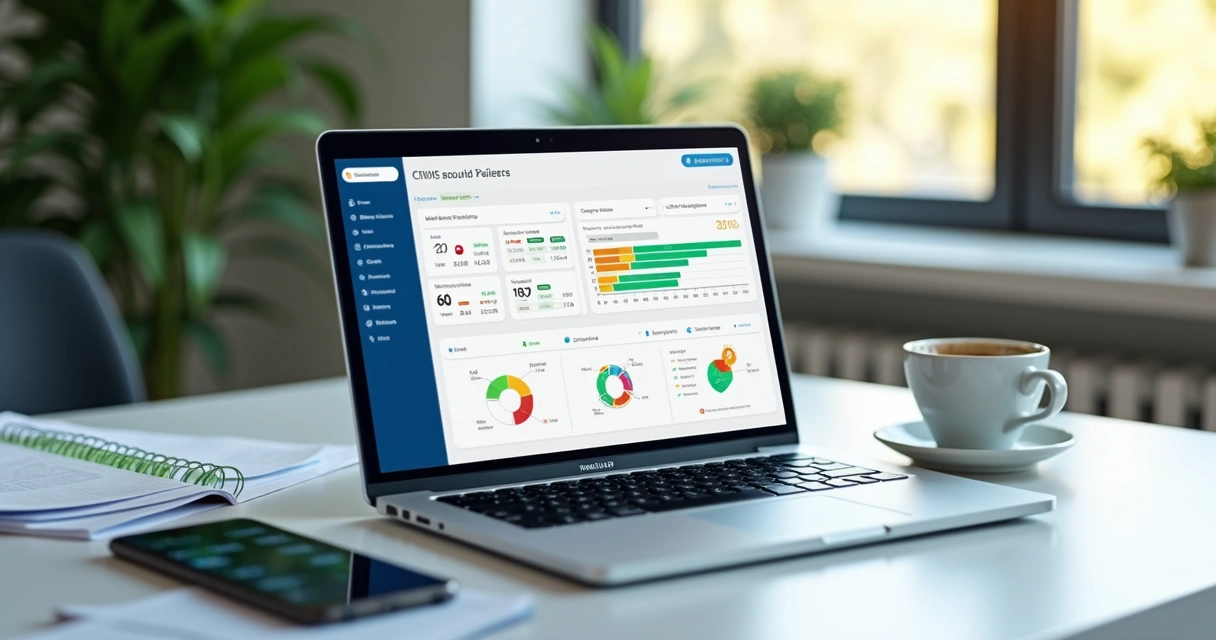
A useful report is one that supports decision-making. The manager needs to understand lead volume, advancement rates, reasons for loss, average time per stage, and revenue forecasts. Without this, the CRM becomes just a pretty file.
If the manager cannot identify where sales are stalling, the problem may lie less with the team and more with the lack of visibility.
Additionally, it is good to check if the dashboards can be tailored to the profile of each leader. The sales director, coordinator, and salesperson do not look at the same numbers in the same way.
How to Identify the Right Option for Your Company
The right choice depends less on advertising and more on three factors: size, budget, and team maturity. These three points change everything.
Company Size
Smaller companies often need quick implementation, simple interfaces, and streamlined processes. In contrast, businesses with more departments, more salespeople, and greater integration between marketing, pre-sales, and post-sales may require broader permissions, automations, and reports.
In many cases, the mistake lies in hiring a heavy structure too early. The team may not yet be recording activities well, but the company is already trying to set up dozens of fields and workflows.
Available Budget
We should not only look at the monthly fee. The real cost includes setup, migration, training, internal team time, and potential integrations. An affordable tool can become expensive if it requires significant operational effort. The opposite can also happen.
To avoid this type of superficial reading, we often suggest an evaluation roadmap before making a decision. The material on the checklist before switching CRMs is very helpful in organizing this reasoning.
Team Maturity
The right CRM is the one that the team can use well today, with room to grow tomorrow.
If the company does not yet have a clear sales process, it may need to start with a basic structure, with few stages and simple indicators. If the team already measures conversion, segments the portfolio, and works with a solid follow-up routine, it makes sense to look for something more robust.
This is where a personalized diagnosis gains value. At Roadmap Sales, we often see companies trying to solve a process problem by purchasing software. It doesn’t always work. First, we need to understand the scenario. Then, choose the tool that fits it.
If you are at this decision-making moment, our guide on how to choose a CRM helps organize criteria without falling into shallow comparisons.
Common Mistakes in Choosing a System
Choosing poorly is costly. It costs money, time, and team trust. And some mistakes occur very frequently.
The biggest risk is not buying the wrong system. It is implementing without clarity of process and expecting the tool to solve that on its own.
Among the most common missteps, we highlight:
- Choosing based on the interface and ignoring alignment with the sales process.
- Deciding without involving leaders and end users.
- Underestimating the need for integration with channels already used by the team.
- Creating too many fields and stages right from the start.
- Not defining adoption goals and quality of data entry.
- Leaving data migration to the last minute.
We have seen excited teams at launch become demotivated just weeks later. The reason was almost never a lack of technical resources. It was excessive complexity, insufficient training, and the absence of simple rules for daily use.
A good tool without a clear routine loses effectiveness quickly.
How to Implement More Securely
Successful implementation requires a method. And, to be frank, it also requires patience. It is not a project that ends when the login is created.
A well-executed implementation starts before configuration and continues after the system goes live.
We like to break this work into clear stages.
1. Map the Current Process
Before making changes to the system, it is worth understanding how sales happen today. Where do leads come from? Who qualifies them? When does the opportunity enter the pipeline? What criteria define advancement? Which activities go unrecorded?
Without this picture, the CRM will be designed in a vacuum.
2. Define the Desired Process
Here, the company chooses what to keep, cut, and standardize. Not everything that exists today deserves to continue. Generally, this is the time to simplify stages, reduce fields, and create usage agreements.
3. Configure the Environment
In this phase, pipelines, users, permissions, fields, basic automations, and reports come into play. The secret is not to overdo it. Starting simple often yields better results than opening dozens of features at once.

4. Integrate Priorities
Not every integration needs to be in place on day one. The most useful ones are usually those that prevent rework and improve visibility.
In most B2B operations, we prioritize:
- Messaging apps, especially WhatsApp.
- Email and calendar.
- Lead capture forms.
- Telephony or call logging, when applicable.
- Proposal, service, or ERP tools, depending on the operation.
When these connections are established in the right order, the team feels value sooner. This helps with adoption.
5. Train by Role
A common mistake is to conduct a single, generic training session. Salespeople, managers, and operations need different perspectives. The salesperson wants to know how to log quickly. The manager wants to track numbers. The account administrator needs to understand configuration, adjustments, and governance.
6. Monitor the First 90 Days
This period often determines the project's success. It is the phase when doubts, resistance, and course corrections arise. Therefore, it is advisable to monitor simple indicators:
- Percentage of opportunities with a defined next step.
- Rate of completion of mandatory fields.
- Number of activities logged per salesperson.
- Time taken to update the pipeline.
- Reasons for loss recorded correctly.
With this monitoring, small adjustments can prevent significant wear and tear.
When Diagnosis Makes a Difference
There is a scene we know well. Leadership realizes they need a CRM, researches independently, compares lists of features, and gets stuck. Everything seems similar. Or everything seems too big. This is when personalized diagnosis truly helps.
Diagnosis is not meant to push a tool. It is meant to reduce the risk of poor choice.
At Roadmap Sales, we advocate this approach because it respects the company's reality. A quick questionnaire can already indicate maturity level, necessary integrations, budget range, and the most suitable type of implementation. This shortens the distance between intention and a well-made decision.
For those operating in specific niches, this analysis becomes even more valuable. A good example appears in contexts with their own service routines and pipelines, as we show in the content about the best CRM for agencies. The sector changes. The flow changes. The choice should also change.
A Practical View on Tool Evaluation
Even when the company already knows what it needs, it is still worth comparing options critically. We suggest observing real usage scenarios, not just the feature list.
Useful questions at this stage:
- Can the salesperson log an opportunity in just a few steps?
- Can the manager see the pipeline without relying on a parallel spreadsheet?
- Does the integration with messaging and email work as the team expects?
- Does the cost fit the company's current situation, including implementation?
- Is there flexibility to grow without having to redo everything later?
If the company is already looking at specific platforms, contextual materials help deepen the analysis more carefully, such as the pages on tool details and usage scenarios and about another common alternative in commercial operations. The point here is not to rush into a contract. It is to understand the fit.

Conclusion
Choosing a CRM adapted to Brazil is not just about deciding between interfaces and features. It is about building a reliable foundation for the sales operation to function better, with more clarity, less redundancy, and real pipeline tracking. When there is support in Portuguese, billing in reais, integration with channels used in the country, and alignment with how the team sells, implementation tends to proceed with less friction.
The best choice arises from the intersection of process, team, budget, and market context.
If we want to get it right the first time, it is worth avoiding hasty decisions. First, we understand the team's maturity, the most significant integrations, the desired management level, and how much the company can sustain in practice. After that, technology can work in favor of sales, not against it.
If you want to decide more critically before investing, get to know Roadmap Sales and take a free diagnosis. In just a few minutes, we help identify the options that best fit your profile and the best path to implement securely.
Frequently Asked Questions
What is a Brazilian CRM?
It is a relationship and sales management system designed for the realities of the national market. Generally, this includes support in Portuguese, billing in reais, integration with channels widely used in Brazil, such as WhatsApp, and features suitable for the commercial routines of local companies.
How to choose the best national CRM?
We recommend evaluating the current sales process, the company's size, the available budget, and the team's maturity. It is also worth checking ease of use, report quality, useful automations, and integrations with email, messaging, forms, and other tools already present in the operation.
What are the main CRMs in Brazil?
The main ones are those that serve different profiles of commercial operations in the country well, with good adaptation to the language, support, and local integrations. Instead of just looking at popularity, we suggest comparing alignment with your scenario, sales pipeline, and the company's growth stage.
Is it worth investing in a Brazilian CRM?
Yes, in many cases it is quite worthwhile. When the solution aligns with the team's routine, centralizes history, organizes the pipeline, reduces information loss, and improves managerial insights, the investment tends to make sense. The return is more evident when implementation is straightforward and daily use occurs consistently.
How to implement a CRM in Brazil?
Implementation starts with mapping the current commercial process. Then, we define pipeline stages, fields, users, permissions, and priority integrations, such as WhatsApp, email, and forms. Next, we train the team by role, monitor the first months, and adjust the system based on actual usage. This approach usually reduces errors and improves adoption.
Want this tailored to your stack?
Run the free assessment and get a personalized report with fit scores, tradeoffs, and rollout guidance.
Start free assessment